Rebuilding WisprFlow Locally
I’ve been using Wispr Flow for about a year now, and I’ve enjoyed mixing voice dictation in with typing. It’s been especially nice when I’m riffing on an idea or thinking out loud in an agent session: hit a hotkey, ramble into my terminal, press enter. Some thoughts come out better as conversation than as carefully typed sentences.
So what’s the problem? Primarily the fact that anything I speak on or reference is stored on their servers. Companies already have substantial data, what’s a little more? Well I suppose this is my attempt to limit that!
That was my main motivation for building BirdChatter. It runs entirely on your Mac using local models, and it doesn’t require an account.
It’s not quite at feature parity with Wispr Flow yet, but it has the pieces that matter most to me:
- Hotkeys. Press and hold to talk, or double tap to go hands-free and keep recording until you’re finished.
- A dictionary that learns. It stores the correct spelling of words it gets wrong, and it picks up the corrections you make after a dictation.
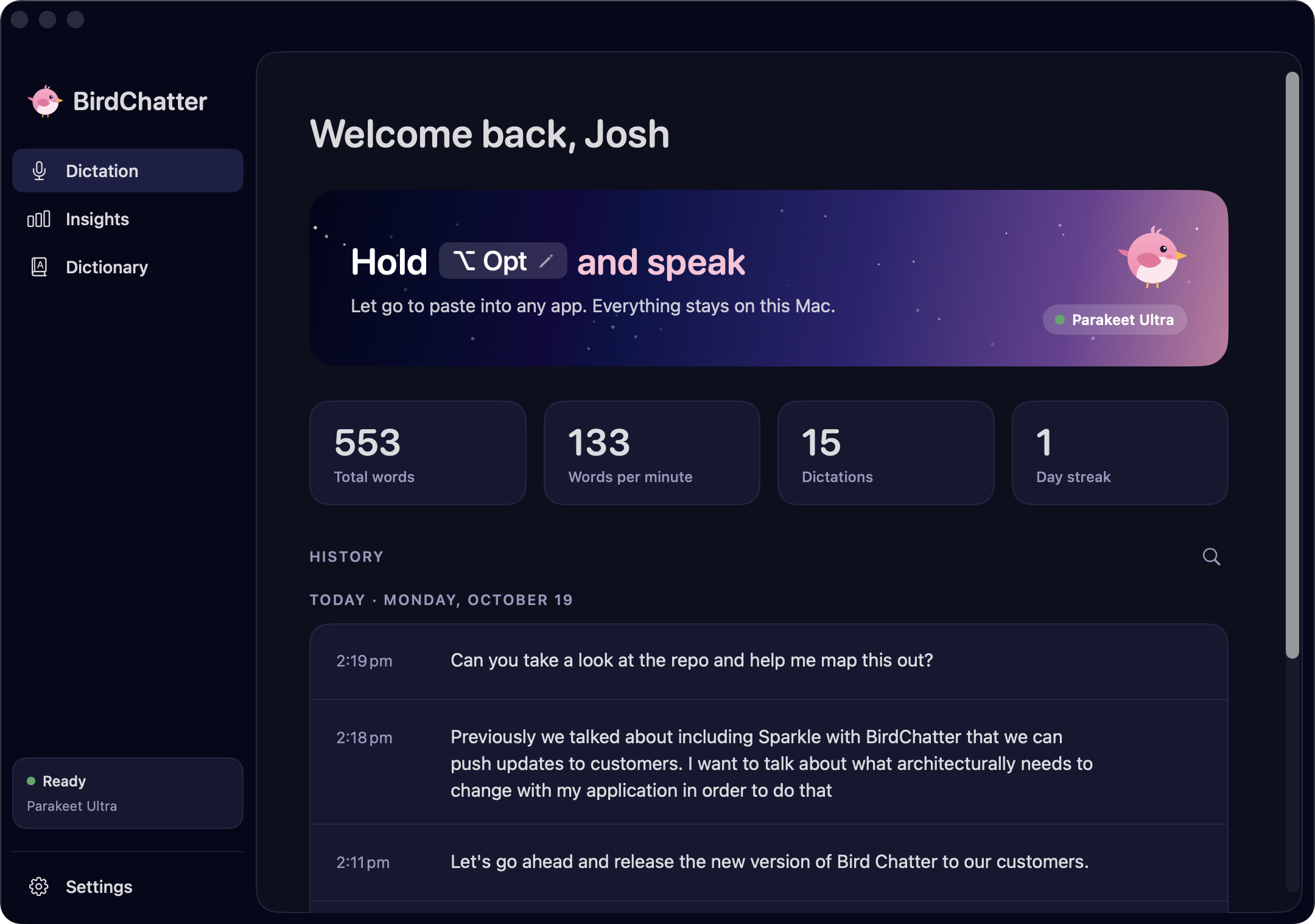
How it works
BirdChatter is a native Swift/SwiftUI app. There’s no Python runtime or local server spun up per dictation.
Transcribing on-device
- Speech-to-text runs NVIDIA’s Parakeet models through FluidAudio, which executes them as Core ML on the Apple Neural Engine.
- The model downloads once on first launch (~630 MB for Parakeet Ultra, the default). After that, no audio or text leaves the machine.
- The model is loaded and warmed at launch, so the first dictation is as fast as the rest.
- Audio is captured with
AVAudioEngineand resampled to 16 kHz while you’re still talking, so transcription starts the moment you let go. On my M5 Max, 11 seconds of audio transcribes in under 70 ms. - Text lands via the clipboard and a synthesized paste (⌘V), and the previous clipboard is restored once the target app has read it.
Hotkeys
- A
CGEventtap watches key events system-wide. The shortcut can be a single modifier (⌥ by default, or fn, ⌃, …) or modifier + key. - Modifier-only shortcuts are tricky because ⌥ is also used for typing (⌥E for an accent). If another key or a click follows within 0.6 s of the modifier going down, it’s treated as a chord and the dictation is cancelled.
- The decisions live in a small state machine that’s separate from the event-tap plumbing, so it’s unit-tested. A press shorter than 0.3 s is a tap, and a second tap within 0.4 s switches to hands-free. The next press stops it, and Esc throws it away.
- macOS disables event taps that respond slowly, so the tap callback only translates events and hands them to the main queue. If macOS disables the tap anyway, it’s re-enabled and the key state is resynced.
The dictionary
- A small CTC model spots dictionary terms in the audio and rescores the transcript toward them. Exact “heard as” aliases then fix anything left over.
- A dictionary word only replaces text that’s spelled roughly like it, with at least half the letters lining up. “Doomy Max” can become “Doom Emacs”, but “sounds good” can’t. FluidAudio has an optional extra pass that drops in a dictionary word whenever the audio merely sounds like it, even if the transcript has nothing close. With only a handful of words in my dictionary, it would sometimes replace an entire short dictation with one of them, so I turned that pass off.
Learning from mistakes
- For up to 30 seconds after a paste (or until you press Return or focus moves), BirdChatter re-reads the focused text field through the Accessibility API.
- Once the field has been still for 1.5 s, it diffs what it pasted against what’s there now. Small fixes of one to three words that look like what was heard (“cooper netties” → “Kubernetes”) become dictionary suggestions you can accept.
- Only the word pair is kept, never the surrounding text, and password fields are skipped entirely.
- Everything (history, dictionary, stats) is stored as plain JSON in
~/Library/Application Support/BirdChatter.
Shipping it
- Releases are built in GitHub Actions. Pushing a version tag builds the app, signs it with my Developer ID, has Apple notarize it, and packages the DMG.
- birdchatter.com is a static site on Cloudflare Pages, with a couple of small serverless functions handling purchases.
- Checkout goes through Stripe, and there’s no account to create. After paying you get a download link, and before handing over the DMG the server checks with Stripe that the purchase is real and paid. A Stripe webhook also emails you that link, so you can download again later.
- Updates come through Sparkle, which checks for a new version once a day. The update feed and every DMG are signed, and Sparkle verifies those signatures, plus that the new version carries the same Developer ID, before installing anything. Keeping the same Developer ID also means macOS remembers your Microphone and Accessibility permissions across updates.
- Apart from downloading the speech models, that daily update check is the only network request BirdChatter makes, and you can turn it off in Settings.